
Challenge
Charities need donor and donation records that support daily administration as well as year-end receipting. Donations can be divided across categories and campaigns, and donors can carry tags that help staff organize their work. Each organization also needs its own identity: branding, sender name, reply-to address and receipt-number sequence.
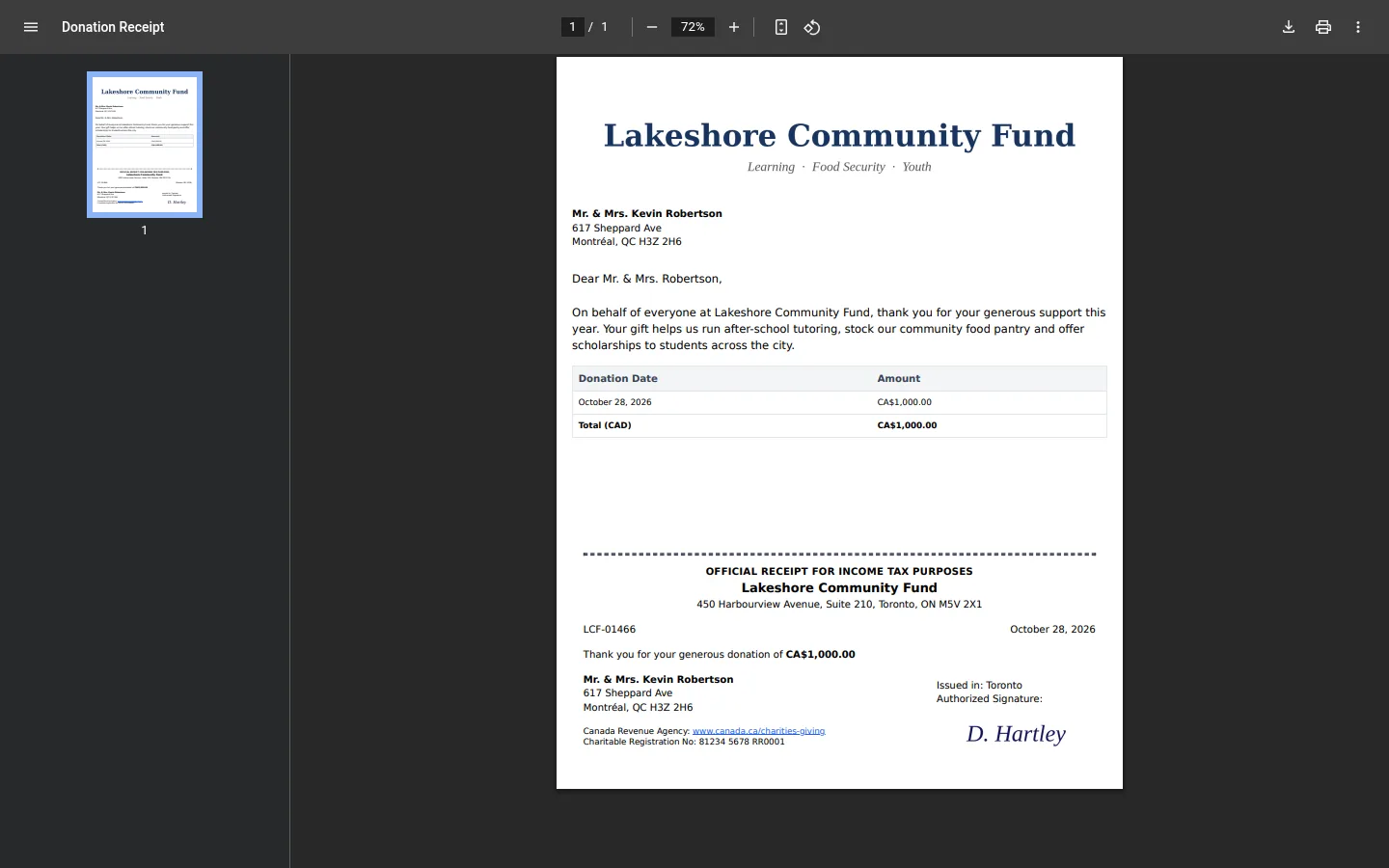
Receipts are official records. Staff need to issue them in sequence, handle voided receipts clearly and recognize donations that already had a receipt in a legacy system. At year end, the organization needs a package with a summary and every receipt in one PDF, plus a CRA CSV export. The platform also needs to keep separate organizations' settings and receipt histories distinct.
What we built
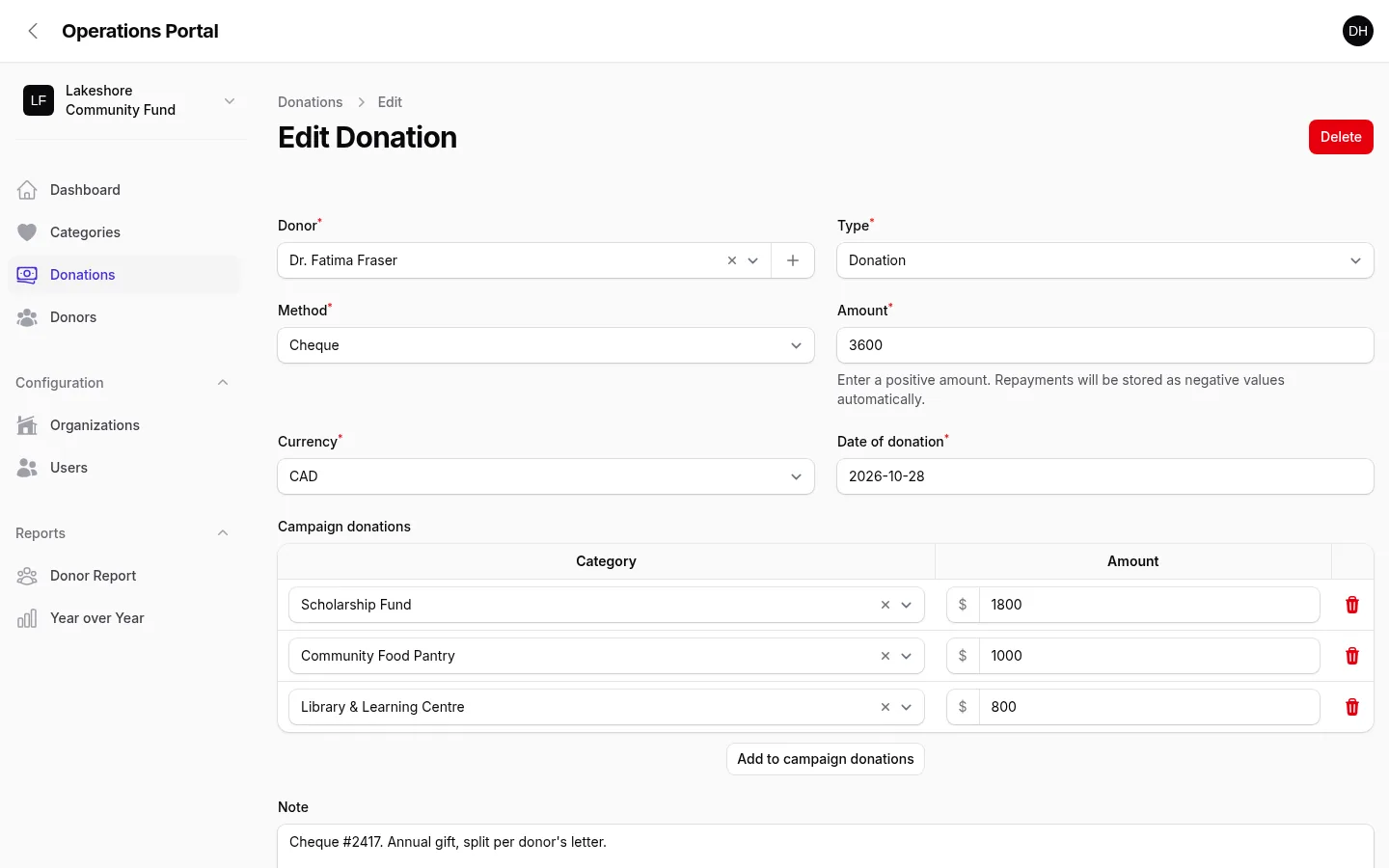
We built a multi-organization donor platform with separate branding, sender details, reply-to addresses and receipt-number sequences for each organization. Staff can manage donor records and donations, apply tags, and divide a donation among categories and campaigns. A legacy-receipted flag helps distinguish records whose receipts were issued before migration.
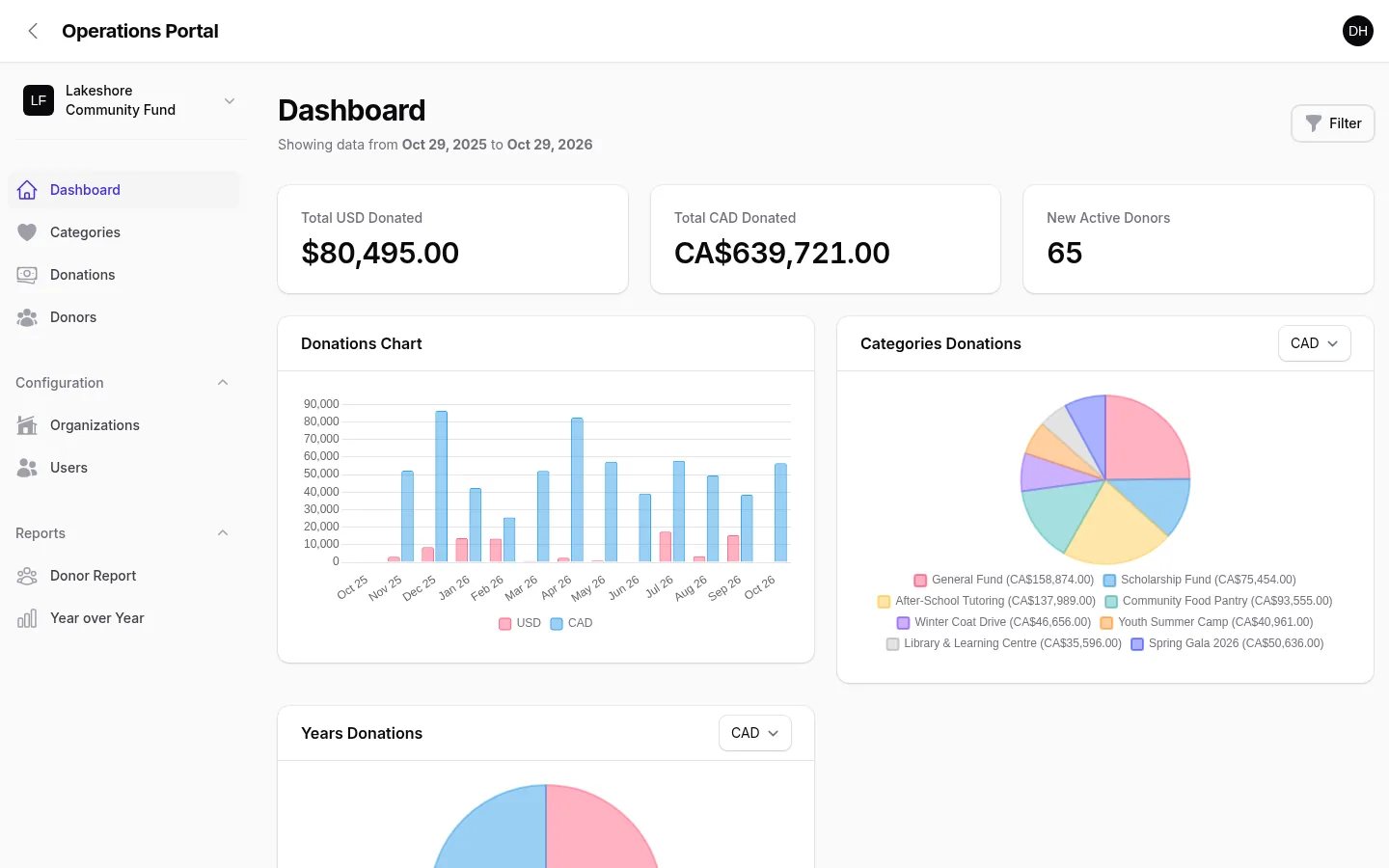
The system generates official CRA receipts as PDFs with sequential numbering for each organization. Voided receipts receive a watermark, preserving their place in the record while making their status visible. The year-end package combines a summary and every receipt into a single PDF. Staff can import legacy information from Excel, filter dashboard views by date and export CRA data as CSV.
Receipts can be emailed through a transactional email service using the organization's sender name and reply-to address. This keeps the charity's identity connected to the communications it sends. The same platform supports the operational record, the receipt document and the year-end package, so staff can move from a donation to its receipt without assembling the annual output manually.
How we worked
We organized the system around organizations as well as donors. Branding and receipt sequence belong to the organization that issues the document, while donor, donation, category, campaign and tag records support day-to-day work. The legacy-receipted flag preserves an important distinction as historical records move from Excel into the platform.
We connected the receipt lifecycle to reporting and year-end work. A receipt is generated as a PDF, its organization controls the sequence, and a voided document carries its watermark. Date-filtered dashboards help staff focus on a reporting period. The annual PDF package and CRA CSV export use the same donor and donation records that support everyday administration.
Result
Staff can manage donors and categorized donations, issue sequential CRA receipts with the right organizational identity, and handle voided and previously receipted records. At year end, they can produce one PDF containing the summary and every receipt. They can also filter reporting by date, import legacy records from Excel, export CRA data and email receipts through a transactional service.