Custom ERP development cost depends on what your business must keep doing while you change systems. A new purchase-order screen is one line in an estimate. Transferring open orders, matching stock at each warehouse and making sure the accounting team can close the month are different jobs. Leave them out of the quote and they still have to happen.
At Bomshteyn Consulting, the minimum engagement is US$5,000. It is a starting point for an engagement, not a price for replacing an ERP. Paid discovery defines the first phase and what it will cost to put that phase into use. The guide below is for owners and operations leads who need to compare estimates before committing to the whole replacement. If you are still deciding whether ERP is what you need, start with our broader custom software cost guide.
Decide what the first phase will own
Start with a workflow the business can name and test. “Replace inventory” is too broad. “Receive a purchase order at one warehouse, record a shortage and send the verified receipt to accounting” names the trigger, the people and the outcome. It also leaves room to agree that the old system still handles sales and that accounting stays where it is.
Write down which system owns each record after launch. For example, the new ERP might own receipts, while the accounting package still owns posted vendor bills. If both can edit the same quantity or bill status, someone has to decide which entry wins and how staff spot a difference. It is usually cheaper to define that boundary than to pay for a two-way sync between systems that do not follow the same rules. Our system integration services explain when a verified export is enough and when a workflow needs an API.
Check whether a smaller change would solve the problem first. If the existing ERP is reliable and staff just need to look up stock or enter a request from another location, a customer or vendor portal may be a better first phase. A full replacement makes more sense when the record structure or workflow itself prevents the business from doing the work.
Four things that move the estimate
1. Operational rules that aren’t written down
Ask purchasing, receiving, sales and accounting to show how they handle the same order. The approved process rarely explains everything: a vendor ships only half an order, the warehouse finds damaged items, or sales has promised stock that has not arrived. Each outcome changes what can be sold, invoiced or paid. Budget for the exceptions staff handle every week; keep unusual cases manual until there is a reason to build for them.
In one anonymous wholesale distributor ERP replacement, purchasing, receiving, lot-based inventory and sales had to work from related records. Staff needed to record discrepancies at receipt and allocate incoming stock. Those requirements affect the estimate more than the number of screens. The example shows what the work involved, not what another business should expect to pay.
2. Data that must follow the business
Separate three things: the master records you still use, the transactions still open, and the historical records you only need to look up. A fresh product list, active vendors and unfilled orders may need to go into the new system. Old invoices might belong in a read-only archive. Ask accounting what must remain searchable and who can read it before you decide what to migrate.
Fund a trial import before anyone estimates the final migration. A small sample can expose leading zeros in item codes, duplicate vendor identifiers or a mismatch between cases and individual units. Have someone from operations compare quantities by item and location, then have accounting check open balances against a known report. Microsoft’s migration guidance makes the same distinction between master records and open transactions and recommends planning time for mapping, testing and validation. These checks matter even when the destination is a Laravel/PHP application rather than a packaged ERP.
3. Integrations and handoffs
Inventory snapshots, payment status and accounting entries are different kinds of connections. A stock file arriving late might need a timestamp and a warning. A retried accounting entry needs a way to avoid creating a duplicate. Ask who investigates failed transfers, what a successful reconciliation looks like and whether a manual export can be used while a supplier interface is unavailable. Those decisions belong in the estimate alongside the connection itself.
4. Changeover, training and fallback
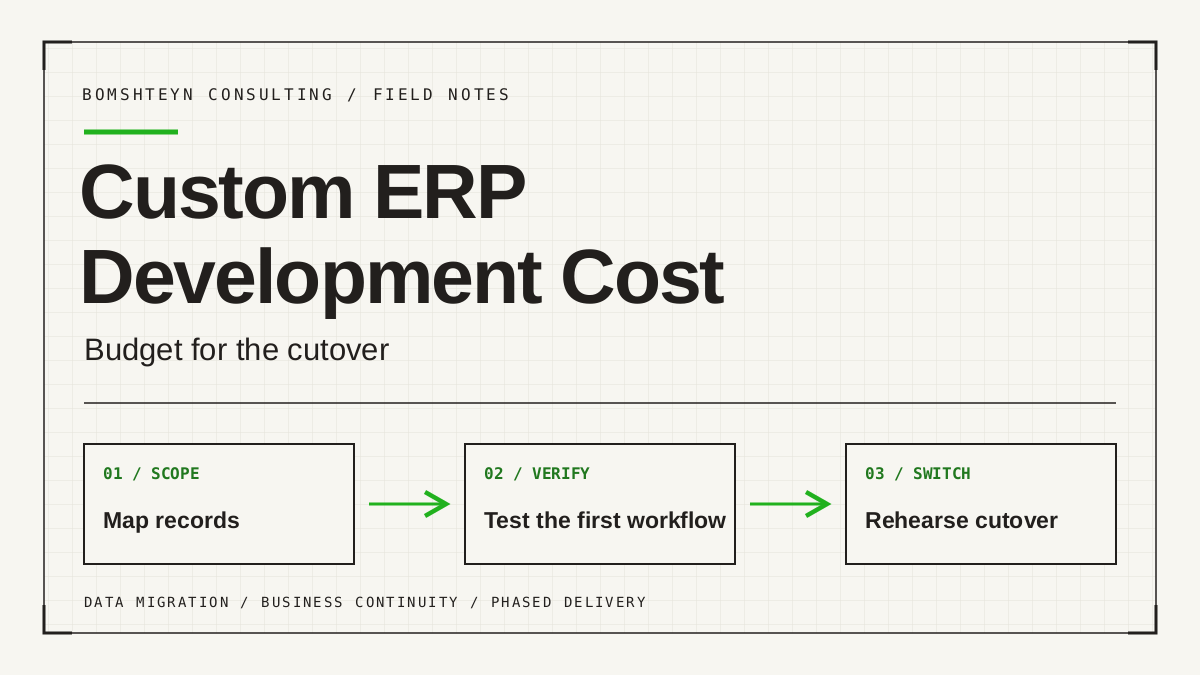
Decide when staff stop entering records into the old system for the workflow that is moving. Estimate the time to pull the final changes, import them and check the agreed totals. Assign someone who can approve the switch and someone who can call a stop. If a check fails after staff have entered new orders, the fallback needs a written way to carry those orders forward; “turn the old system back on” is not a complete plan.
Microsoft’s cutover planning guide recommends rehearsing the switch, assigning owners and setting verification and sign-off steps. Apply those principles to your calendar. Do not pick the morning of an inventory count or a hard invoicing deadline. Budget time for staff to learn with representative orders before launch and to get help on the first real ones.
Compare estimates by phase, not by the grand total
A useful proposal separates the work enough for you to see what is included or deferred:
- Paid discovery: observe the operation; write down record ownership, open questions and the first workflow; inspect a representative export. Use the findings to decide whether to build, modernize in place or stop. The GOV.UK discovery guide makes a useful distinction: discovery is for understanding the problem, not starting the build.
- First operating phase: build one workflow, run a test migration and agree how staff will accept it. For receiving, that could mean proving that a partial delivery changes available stock correctly and that a discrepancy reaches the person who owns it.
- Changeover and support: rehearse the cutover, train the people doing the work, define the fallback and agree who covers the first operating period. Separate this from hosting, monitoring and ongoing maintenance.
- Later phases: price a next department or integration after learning from the first launch. State which old licences and support costs remain until it moves.
Keep time for your own team in the comparison. Someone has to review rules, reject a bad import and tell the developer which exceptions actually matter. Ask each bidder to name their assumptions about clean data, export access, integrations, number of locations and staff availability. Two prices are not comparable if one includes cutover and reconciliation and the other ends when the screens are ready.
Frequently asked questions
Is a custom ERP always more expensive than buying one?
Not necessarily, but you cannot compare a build quote with subscription fees alone. Put configuration, customizations, data transfer, training and support on the same list for both options. If one product handles your essential operations without workarounds, start there. Custom work is easier to justify when the differences affect duties staff repeat every day and cannot reliably cover in the package.
Can we keep using the old system during the build?
Usually, if you are clear about which system owns each record and when ownership changes. Our anonymous rental system modernization illustrates what changes when a single-PC workflow moves to the cloud: multiple staff can work from connected customer, rental and item records. Your cost depends on what has to move together, not whether the old software runs on a desktop.
What should we send to get a useful estimate?
Send a short description of the first workflow, which systems contain the relevant records, and who owns the decisions. Bring a sanitized sample of an open order, an item or account export and one difficult exception. With that material, custom ERP discovery can distinguish a bounded first phase from a replacement that needs more investigation before anyone commits to a price.
Selected work
Case studies
DWG · 1 · Distribution & Wholesale
A connected ERP for a wholesale distributor
We replaced a legacy desktop ERP with a portal for purchasing, receiving, inventory, sales and department workflows, connected to third-party warehouse inventory snapshots.
Before
- Legacy desktop ERP used across departments
- Historical records held in CSV files
Portal
- Purchase orders, vendor offers and vendor bills
- Receiving, discrepancy reports and per-container cost baselines
- Inventory lots with FIFO and average landed cost
DWG · 2 · Construction & Logistics
One logistics platform across multiple yards
We connected orders, dispatch, yard stock, drivers, equipment rentals and shipment-based invoicing for a construction supply business with multiple yards.
Before
- Orders, deliveries and returns across multiple yards
- Stock and backorders by warehouse
Portal
- Orders and shipments with job-site deliveries and returns
- Drivers, trucks and job sites with map picker and geocoding
- Per-yard stock, movements, picking and backorder tracking
DWG · 3 · Non-profit & Trusts
Donor management and receipting for charities
We built a donor platform that keeps each charity's branding and receipt sequence together with donations, CRA receipts, year-end packages and reporting.
Before
- Donor and donation records across organizations
- Receipt sequences and sender details
Portal
- Organization branding, sender details and receipt sequences
- Donors, donations, categories, campaigns and tags
- Sequential CRA receipts, legacy flags and voided-receipt watermarks